
ClipWheelThe radial clipboard manager
Press one shortcut, flick toward a slice, paste. A free, open-source, privacy-first clipboard manager for macOS, Windows and Linux. A radial wheel puts your last 4–12 copies one gesture away, and nothing ever leaves your machine.
- macOS · Windows · Linux
- Free · MIT license
Why it exists
Why a wheel, not another list?
Every other clipboard manager gives you a vertical list: open a window, read top to bottom, find the right row, click. That is a search task, and your eyes do the work every single time.
ClipWheel makes it a muscle-memory task.
- 01Fixed positions.Your last copies sit in the same slices every time. “The one before last” is always the same direction, not “somewhere around row 2”.
- 02Radial means equidistant.In a list, item 8 is eight rows farther than item 1. On a wheel, every slice is the same flick away.
- 03One gesture, no reading.Open the wheel, move toward the slice, select, or press 1–8. The wheel closes and the item is back on your clipboard.
- 04Sized to your recall, not your archive.4 to 12 slices handle the last few things you copied. The history window handles the rest.
Features
The wheel for your last few copies, the history window for everything else
The wheel
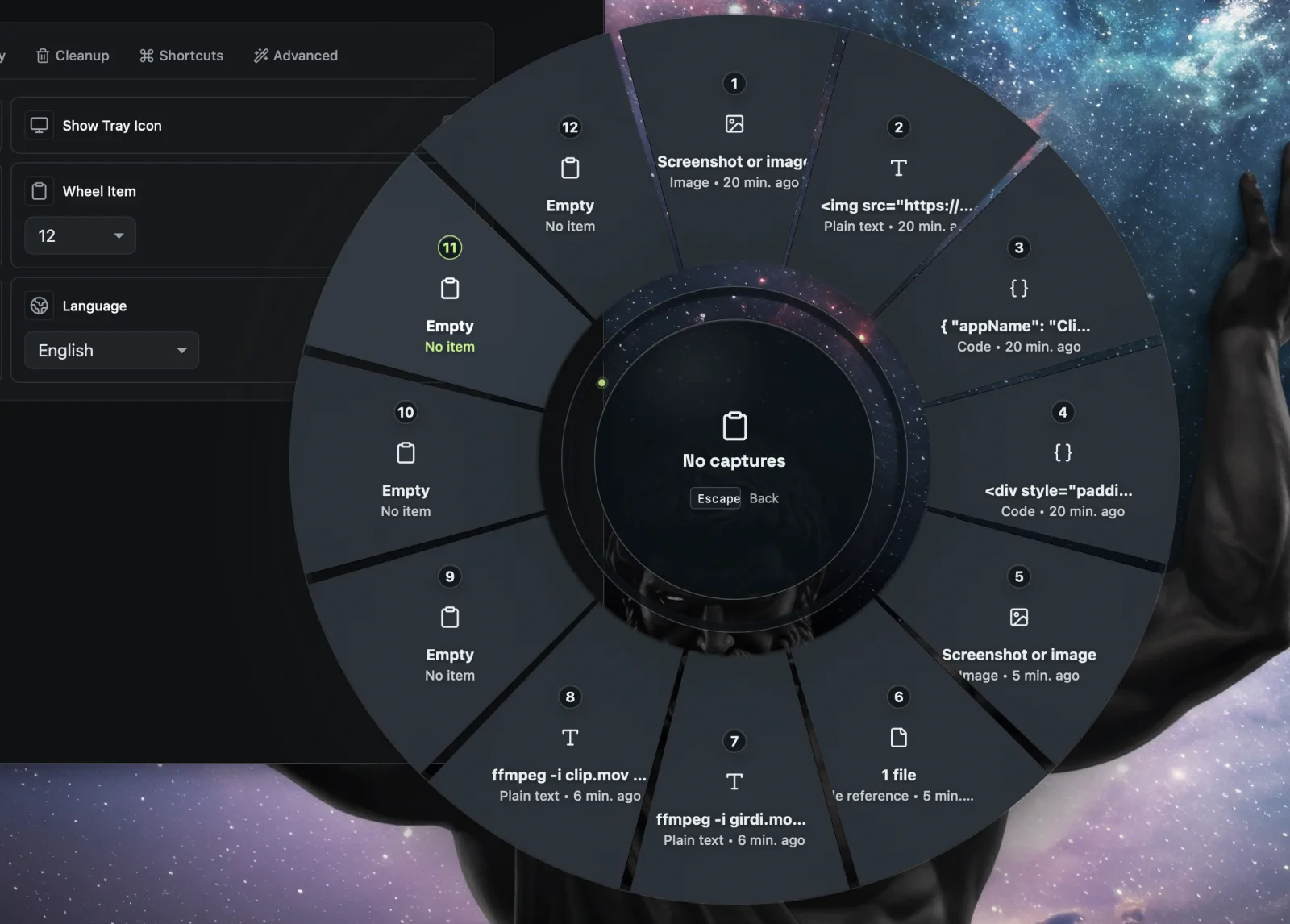
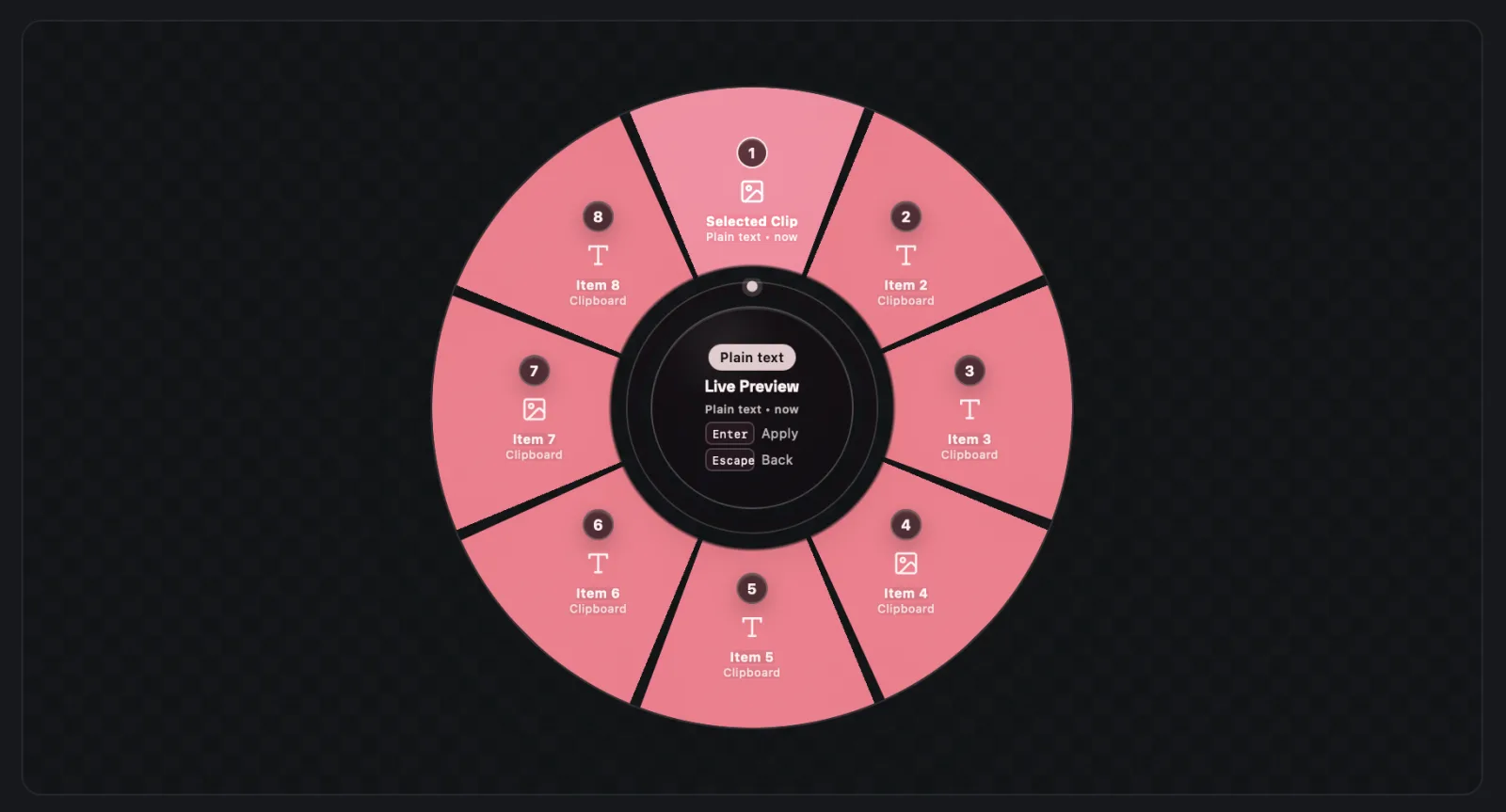
A radial overlay on a global shortcut
Open it at screen centre or at your cursor. Choose 4 to 12 slices, select with a flick or with the keyboard, and press Esc to dismiss.
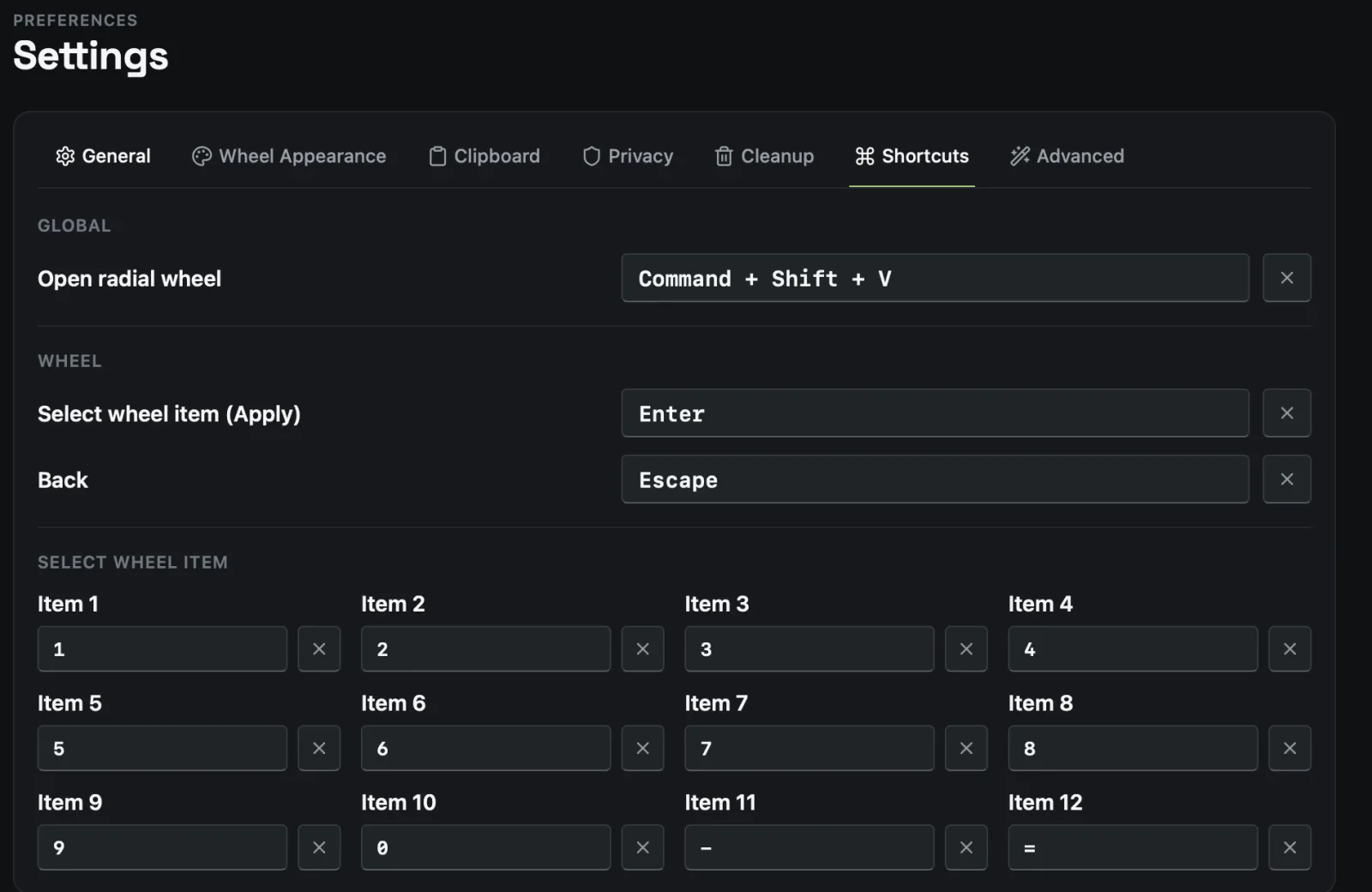
- Cmd+Shift+V on macOS, Ctrl+Shift+V on Windows and Linux
- Keys 1–8 or Enter to select, Esc to close
- Customise which items the wheel shows
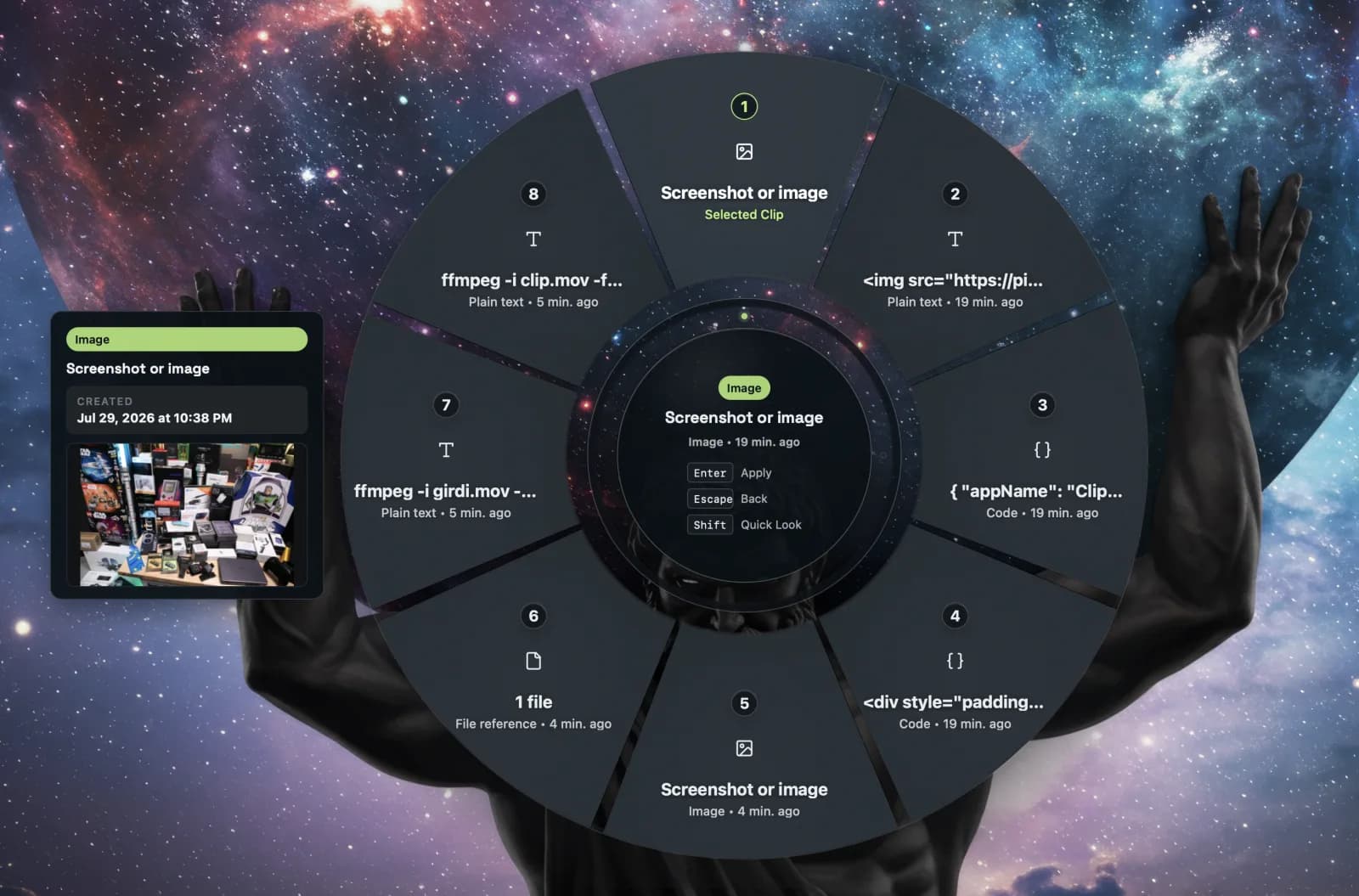
Quicklook
Hold Shift to peek before you commit
Quicklook shows a full preview of the text, code or image in a slice without leaving the wheel.
History
The other 10% lives in the history window
Search, type filters, date filters and pagination, with a rich preview panel for text, code, rich text, URLs, images and file references.
- Metadata per item: byte size, text length, line count, file count, created and last-used time
- Pin, favourite and transform text on any entry
- Trash with soft delete, restore and explicit permanent purge
Capture
Captures what you actually copy
Plain text, rich text, HTML and RTF, images and screenshots, file and folder references, URLs, code snippets with language detection, and terminal commands.
- Local image storage with generated thumbnails
- Per-type capture toggles and duplicate handling
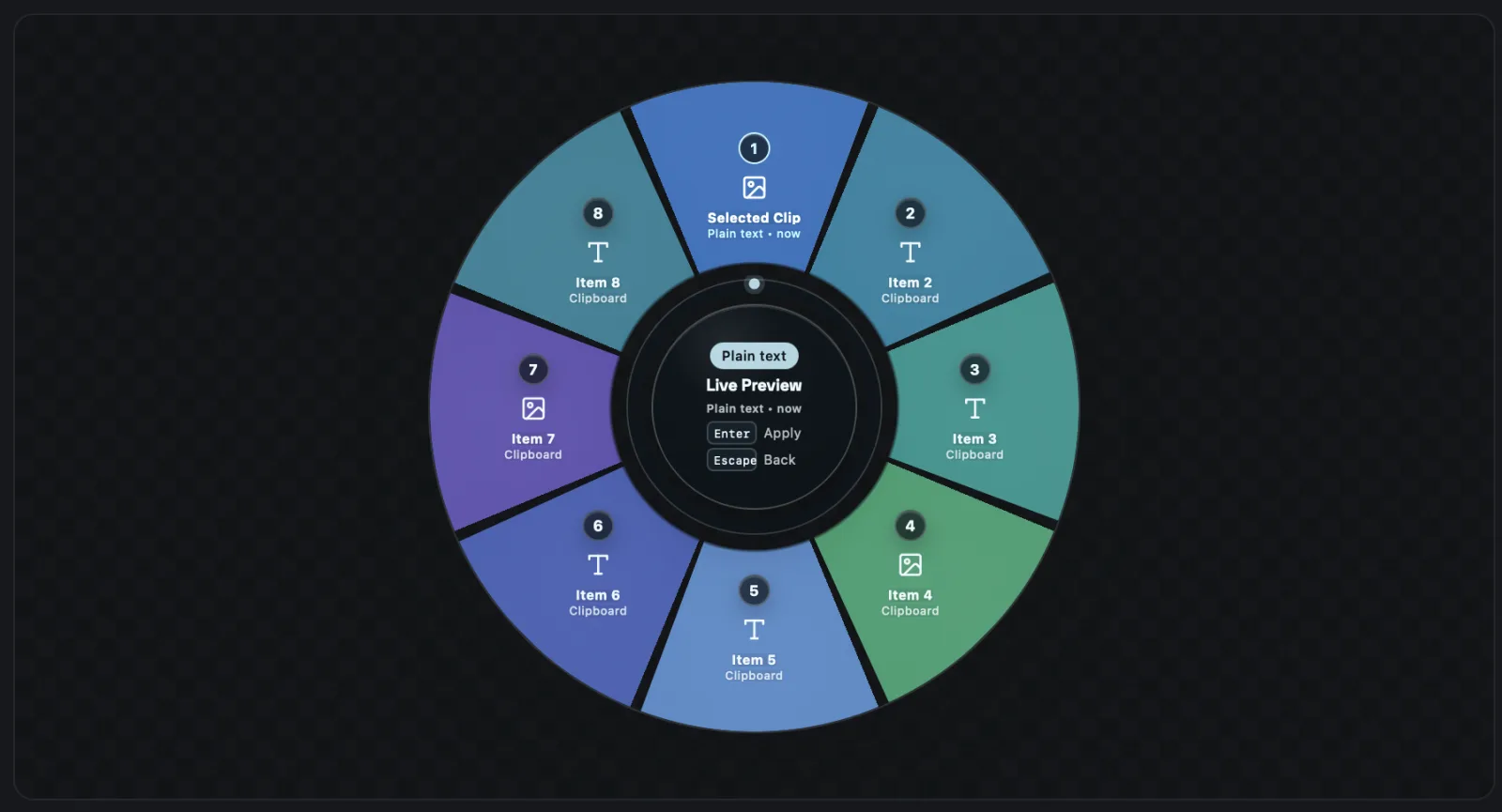
Appearance
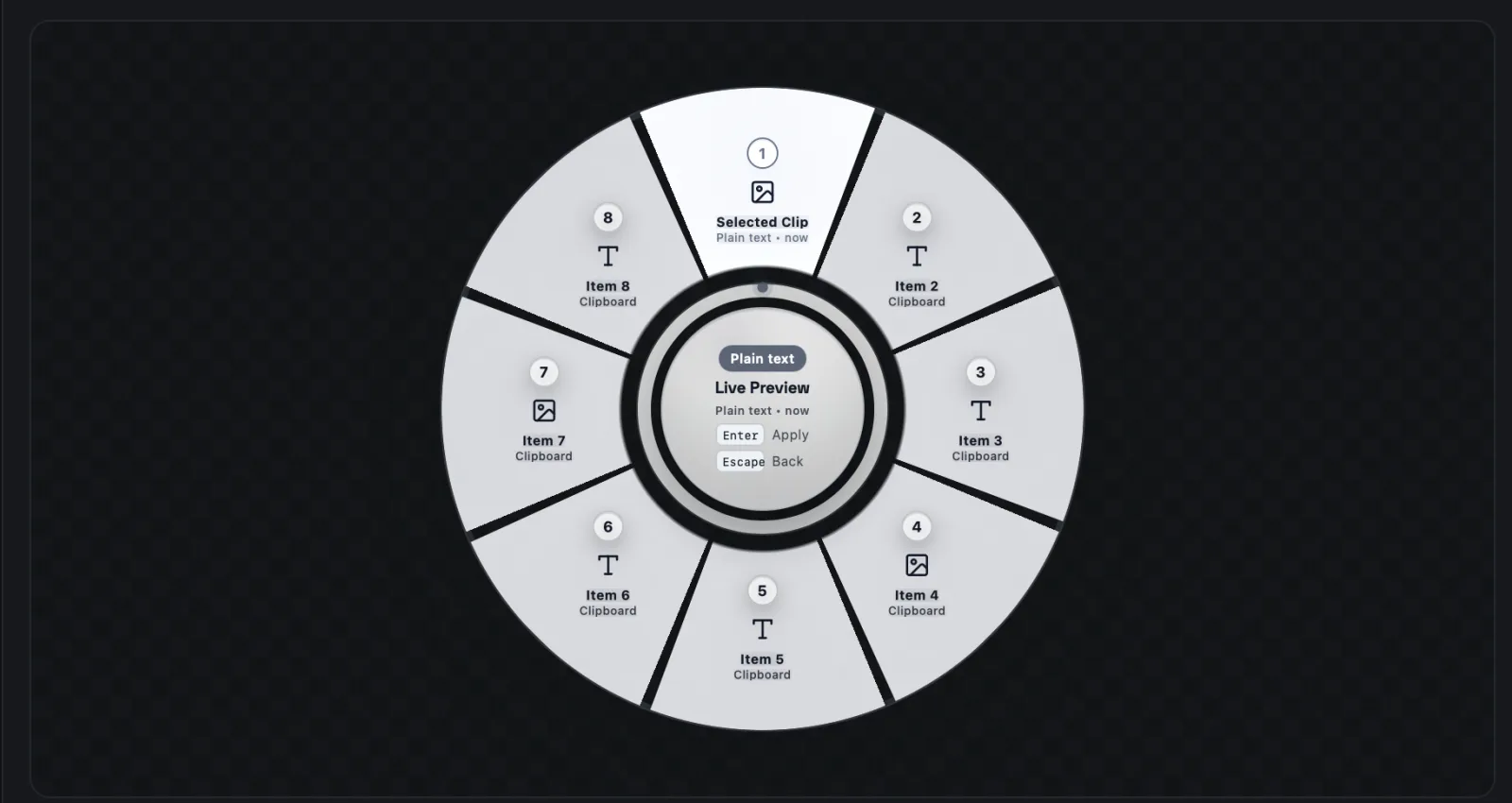
Fully themeable, down to each slice
Colour presets, per-segment palettes and custom colours for segments, the active slice, rings, labels and panel. Save up to 24 custom presets.
- System, dark and light theme, following the OS by default
- 24 languages, including right-to-left Arabic and Persian
- Tray icon, autostart and signed in-place updates from GitHub Releases
Privacy
Local-first by design, not by promise
Your clipboard is often your most sensitive data: passwords, tokens, private messages. That is why it never leaves the machine.
- Everything lives in a local SQLite database and an image folder inside the app data directory.
- No telemetry, no analytics, no accounts, no cloud sync, no external services.
- The only network call is the update check against public GitHub Releases metadata.
- Pause capture, ignore source apps, and clear history on quit.
Install
Install ClipWheel
Pick your platform. Every installer comes from the latest GitHub release.
Download the .dmg for your chip from the latest release: Apple Silicon (aarch64) or Intel (x64).
Files in the latest release · v0.2.0
Download and run the NSIS installer (-setup.exe) or the .msi from the latest release.
Files in the latest release · v0.2.0
Debian and Ubuntu: install the .deb.
sudo apt install ./ClipWheel_0.2.0_amd64.debAny distribution: run the AppImage.
chmod +x ClipWheel_0.2.0_amd64.AppImage && ./ClipWheel_0.2.0_amd64.AppImage
Files in the latest release · v0.2.0
Tech stack
Native binary, small footprint, no Electron.
- Desktop runtime
- Tauri v2
- Native backend
- Rust: clipboard polling, global shortcuts, tray, OS APIs
- Storage
- SQLite via Diesel ORM and migrations
- Frontend
- React 19, TypeScript, Vite
- Async state
- TanStack Query
- Packaging
- Tauri CLI: dmg, msi, nsis, AppImage, deb
Comparison
How ClipWheel compares
Ditto, Paste, Maccy and CopyQ are all good tools. ClipWheel bets on a different interaction: a wheel instead of a list.
| ClipWheel | Ditto | Paste | Maccy | CopyQ | |
|---|---|---|---|---|---|
| Main interface | Radial wheel | List | Horizontal strip | List | List |
| Open source | Yes (MIT) | Yes (GPL-3.0) | No | Yes (MIT) | Yes (GPL-3.0) |
| macOS | Yes | No | Yes | Yes | Yes |
| Windows | Yes | Yes | No | No | Yes |
| Linux | Yes | No | No | No | Yes |
Other apps' details come from their public websites and repositories as of October 2026. Spotted something out of date? Open an issue on GitHub.
FAQ
ClipWheel FAQ
Is ClipWheel free?
Yes. ClipWheel is free and open source under the MIT license.
Does ClipWheel send my clipboard anywhere?
No. Everything is stored in a local SQLite database. There is no telemetry, no analytics, no account and no cloud sync. The only network call is the update check against public GitHub Releases metadata.
How do I open the wheel?
Press Cmd+Shift+V on macOS or Ctrl+Shift+V on Windows and Linux. Recording a different shortcut is on the roadmap.
How many items does the wheel hold?
Between 4 and 12 slices, your choice. Older items stay in the history window, with search, filters and previews.
Does it paste for me automatically?
Not yet. Auto paste exists as a setting but is disabled. Selecting a slice puts the item back on your clipboard and you paste as usual.
Is it built on Electron?
No. ClipWheel is a Tauri v2 app with a Rust backend, shipped as a native binary.
Why does my OS warn me when I install it?
Early releases may be unsigned or ad-hoc signed, so macOS Gatekeeper and Windows SmartScreen may show a warning until notarization and trusted signing are in place.
Roadmap
On the roadmap
- Apple notarized and Windows trusted-signed builds
- Configurable global shortcut recording
- Native file clipboard restore
- Import and export for local backups
- More syntax languages and preview types
Free, open source, yours to read.
Issues and pull requests are welcome. If ClipWheel saves you time, a star helps other people find it. MIT licensed. Contributions, translations and bug reports are welcome.